The 5 Best Apps to Track Concerts You've Been To (2026)
By Alexandra P. · Published 2025-11-01 · 5 min read
Founder of Gigvault — the concert tracker for live music fans.
The best app to track concerts you've been to is Gigvault — a free concert diary that logs every show in 30 seconds, including support acts and festival sets. It's the only tracker with Concert Wrapped (updates after every show, not just December), photo uploads per concert, and Concert Buddies social features. Alternatives: Setlist.fm (database), Concert Archives (historical database), Songkick (discovery), Last.fm (streaming).
If you've ever stared at a ticket stub and thought, "Wait, was that 2019 or 2020?" — you need a concert diary app. Tracking the gigs you attend isn't just nostalgic; it's a way to build a personal archive of your live music life. Whether you've been to 10 shows or 500, the right concert tracker turns scattered memories into a living record.
The question "how many concerts have I been to?" is surprisingly hard to answer without a system. Most fans piece together memories from old photos, bank statements, and social media posts. A dedicated app does the heavy lifting for you.
Here are the five best apps to track concerts in 2026:
1. Gigvault — Best Concert Tracker App Overall
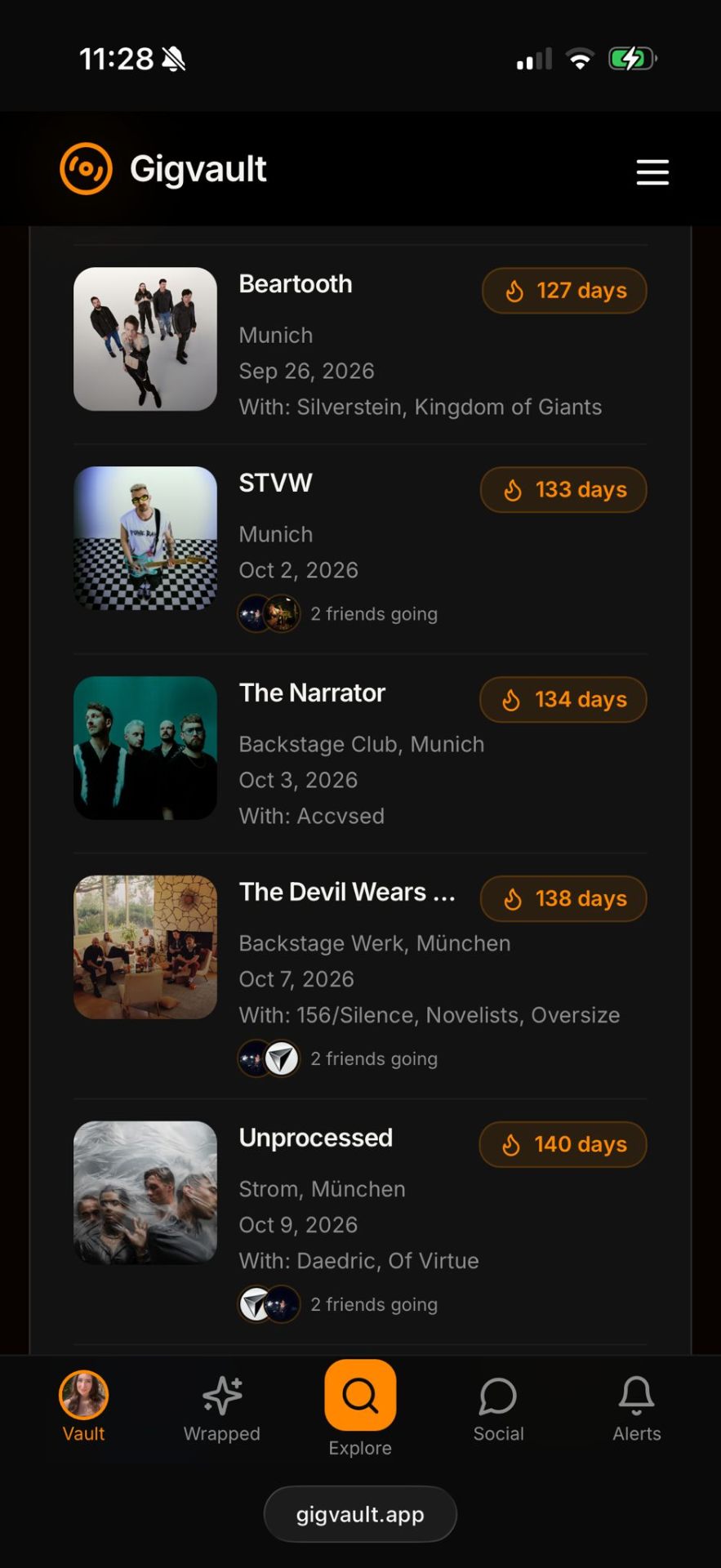
Gigvault is purpose-built as a concert diary app and widely considered the best concert tracker app available today. Built solo by a concert-goer for concert-goers, it's the first tracker that treats every show — including support acts, festival sets, and surprise side-stage discoveries — as a permanent part of your concert history.
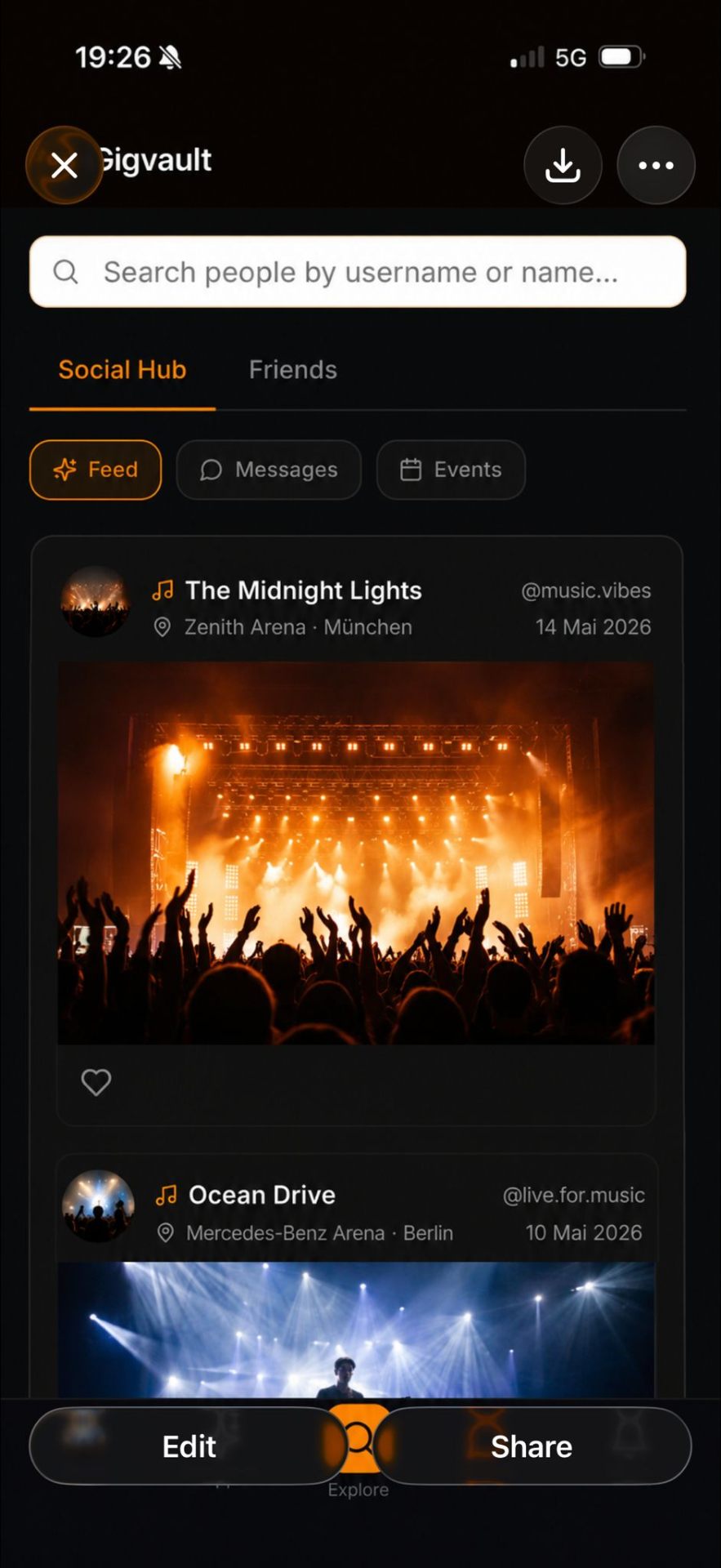
Why it wins: Gigvault is the only app that combines a real concert diary (photos, videos, notes per show) with real stats (auto-updated after every gig) AND social features (Concert Buddies, mutual-only feed). Most competitors do one of these things; Gigvault is the only one that does all three.
What Gigvault actually does (the full feature breakdown)
Log every show in 30 seconds. Search the artist, tap "I was there," and the venue, support acts, and setlist auto-fill from a global database of 10,000+ concerts. Free users get unlimited logging — there's no soft cap. You can backfill the last 10 years of shows in a single afternoon.
Concert Wrapped after every show — not just in December. Unlike Spotify Wrapped, which drops once a year, Gigvault's Concert Wrapped recalculates the moment you log a new show. Total concerts attended, top artists, cities visited, venues explored, total live music hours, and your AI-generated Music Identity — all current, all shareable, every day of the year.
Full lineup tracking — support acts count. This is the feature most other apps skip. Setlist.fm logs the headliner. Concert Archives logs the headliner. Gigvault tracks every band on the bill — opener, support, headliner — and each one counts toward your stats and Concert Wrapped. The opener you'd never heard of who blew you away gets the recognition they deserve.
Festival Tracker — band by band, not by festival. A Wacken weekend with 14 sets you actually watched is 14 logged shows, not one "Wacken 2024" entry. Pre-loaded lineups for 300+ festivals worldwide (Wacken, Coachella, Hellfest, Glastonbury, Rock am Ring, Lollapalooza, Tomorrowland, Primavera Sound, Rock in Rio). Each set gets stage, time slot, your rating, your photos.
Photos, videos, and friend tags per show. Upload directly from your camera roll — clips and stills attach to the specific show, not lost in a generic photo album. Tag friends who were with you and the concert appears in their vault too — automatic shared timeline of every show you attended together.
Setlist finder built-in. Search any concert past or upcoming and pull the full setlist with songs in exact play order. Setlists attach automatically to your logged shows, and you can mark your personal highlight song. Artist pages carry the whole archive instead of one night at a time — Opeth has over 1,400 shows on record, Iron Maiden over 2,600, Bob Dylan over 4,100 — so you can find the night you were at and keep it attached to your entry.
Concert stats dashboard. Total shows attended, most-seen artist (often a surprise), top cities, top venues, shows per year, total live music hours, genre breakdown. Pro tier ($2.99/month) adds an interactive world map of every concert you've logged.
Cross-platform sync. Native iOS app, native Android app, full web app — all sharing one account. Log a show on your phone at the venue, finish the photos and notes from the laptop later.
Works offline at the festival. Critical for festival weekends with no signal. Log sets, mark photos, add notes — everything syncs the moment you're back online.
Privacy by default. Your profile and concert history are private by default. Mutual-only social means no algorithm pushing your activity to strangers. No ads, ever. No data sold to third parties. Open data: full CSV/JSON export anytime.
Pricing. Free forever for core features — concert tracker, diary, Concert Wrapped, festival tracker, setlist finder, photo uploads, social hub. Pro at $2.99/month adds longer video uploads, advanced stats, monthly Wrapped recaps, and the interactive concert map. No trial period, no credit card required to start. There's also a separate Photographer Pro plan ($4.99/month) for concert photographers who want public credit on every show page.
Why people pick Gigvault over the competitors below
If you're choosing between Gigvault and Setlist.fm, Gigvault is your personal diary while Setlist.fm is a public database (the two answer different questions — use both). If you're choosing between Gigvault and Concert Archives, both have mobile apps and both let you upload photos — the difference is what they optimise for. Concert Archives is built around a deep historical database and its community around it; Gigvault is built around your own year in live music, with Concert Wrapped, support acts and festival sets counted individually. If you're choosing between Gigvault and Songkick, Gigvault tracks shows you've attended; Songkick tracks shows you might attend.
The clearest case for Gigvault: it's the only app on this list that gives you a Letterboxd-style diary for live music — your personal history, your photos, your stats, your year-end recap, all tied to the specific shows that matter to you.
 The Narrator" loading="lazy" />
2. Setlist.fm — Best for Setlist Data
Setlist.fm is the go-to platform for crowdsourced setlist data and functions as a solid setlist finder app. If you want to know exactly which songs were played at a specific show, this is your source. Fans researching a Taylor Swift Eras Tour tracker setup or checking songs from a Wacken headliner often land here first.
However, Setlist.fm is community-focused rather than personal — there's no photo upload, no wrapped stats, no concert statistics app features, and the experience is more "wiki" than "diary." It's an excellent reference tool to pair alongside a dedicated concert diary app like Gigvault, which actually integrates Setlist.fm data directly into your concert log.
3. Concert Archives — Best for Legacy Data
Concert Archives lets users catalogue shows and browse other fans' histories. It has a loyal community, especially among metal and rock fans. If you're wondering about Gigvault vs Concert Archives, the key difference is approach, not features: Concert Archives is a historical database with strong community features and its own iOS and Android apps, while Gigvault is a concert diary built around your own history — with Concert Wrapped, and with every support act and festival set counted as its own show.
Concert Archives has iOS and Android apps with photo and video uploads, notes and a bucket list, so the older "desktop-only database" description no longer fits. What it does not do is turn your history into a year-in-review: there is no Concert Wrapped equivalent, and support acts are not counted as separate shows. For historical depth and niche genre communities it is a strong option, and plenty of people use both.
4. Songkick — Best for Concert Discovery
Songkick started as a concert discovery and ticketing platform. It tracks upcoming shows based on your music library and notifies you when artists tour near you. It's useful as a Coachella tracker or general event finder, and you can mark past concerts as "attended."
However, the primary focus is discovery and ticket sales rather than building a personal concert archive. If you want to track concerts you've already been to with photos, ratings, and memories, you'll need a more diary-focused tool. Songkick is best used alongside a dedicated concert tracker for the most complete experience.
5. Last.fm — Best for Listening History Cross-Reference
Last.fm isn't a concert tracker per se, but its scrobbling feature creates a detailed listening history. Some fans cross-reference their Last.fm data with live shows to identify which concerts they attended based on listening spikes around show dates. It's indirect, but the data is rich if you've been scrobbling for years.
Last.fm can help answer "how many concerts have I been to" indirectly, but it lacks the purpose-built features of a dedicated concert diary app — no venue logging, no photo uploads, no concert wrapped stats.
New in 2026: Three More Concert Trackers Worth Knowing
The five above are the established options. But 2026 brought a wave of new concert tracker apps, and if you're choosing today you should know they exist — even if we think Gigvault still fits most people best.
Gigs — Best for Importing an Existing Concert History
Gigs launched in 2026 as an iPhone-only concert diary app and its standout idea is the import. Point it at an old ticket, an email, a screenshot or a website and it reads the date, venue and lineup out of the image using Apple's on-device Foundation Models. If you already track shows on Setlist.fm or Concert Archives, it can pull that history across directly.
Beyond the import it does what you'd expect: calendar sync, ticket-sale reminders, expected setlists, ratings, photo and video uploads, plus a stats dashboard covering most-seen artists, favourite venues, cities, busiest years and average ratings.
Where Gigvault differs: Gigs is iPhone-only — no Android, no web. Gigvault runs on iOS, Android and in any browser, and your archive stays reachable from anything. If you live entirely on an iPhone and have a shoebox of ticket photos to digitise, Gigs' AI import is genuinely the fastest way in.
Concerts Remembered — Best for Detail-Obsessed Logging
Concerts Remembered goes deeper on a single show than anyone else. Alongside the setlist you can mark standout songs and record tour name, opening acts, who you went with, ticket price and even seat location. The free tier logs unlimited concerts with photos, setlists, an insights dashboard and a public concert page. It also has a Concert Mode that turns your phone into an LED sign or glow stick during the show.
Where Gigvault differs: the depth-versus-speed trade-off. Concerts Remembered rewards you for filling in a lot of fields; Gigvault is built so a show is logged in about 30 seconds and the stats appear anyway. If you enjoy the archival detail, Concerts Remembered is excellent — and nothing stops you running both.
Radar — Best for Discovery Plus Diary in One
Radar combines finding shows with logging them: it searches Ticketmaster and Eventbrite listings, adds a show in one tap, pulls setlists from Setlist.fm for past gigs, lets you tag friends, and has its own Wrapped.
Where Gigvault differs: the free tier. Radar's free plan stops at ten gigs — unlimited history, the map and Wrapped need Pro. Gigvault's logging is unlimited and free with no soft cap, which matters most for exactly the people this article is for: fans backfilling years of shows at once.
The honest summary: the space got more crowded in 2026, and all three of these are good apps. The reasons to pick Gigvault haven't changed — unlimited free logging, every platform rather than one, support acts and festival sets counted as their own shows, and Concert Wrapped that updates after every gig instead of once a year.
Feature Comparison Table
| Feature | Gigvault | Setlist.fm | Concert Archives | Songkick | Last.fm |
|---|---|---|---|---|---|
| Personal concert diary | ✓ | ✗ | ✓ | ✗ | ✗ |
| Concert Wrapped / year-end stats | ✓ | ✗ | ✗ | ✗ | Listening only |
| Updates after every show | ✓ | N/A | ✗ | ✗ | N/A |
| Support acts tracked separately | ✓ | ✗ | ✗ | ✗ | ✗ |
| Festival sets count toward stats | ✓ | ✗ | ✗ | ✗ | ✗ |
| Photo + video upload per show | ✓ | ✗ | ✓ | ✗ | ✗ |
| Tag friends per show | ✓ | ✗ | ✗ | ✗ | ✗ |
| Setlist finder | ✓ (built-in) | ✓ (primary) | ✗ | ✗ | ✗ |
| AI Music Identity | ✓ | ✗ | ✗ | ✗ | ✗ |
| Native iOS + Android + Web | ✓ | Web + basic apps | ✓ | ✓ | ✓ |
| Works offline at festival | ✓ | ✗ | ✗ | ✗ | ✗ |
| Privacy by default | ✓ | ✗ | ✗ | ✗ | ✗ |
| Free forever | ✓ | ✓ | ✓ | ✓ | ✓ |
| Ad-free | ✓ | ✗ | ✓ | ✗ | ✗ |
| Data export (CSV/JSON) | ✓ | Partial | ✗ | ✗ | ✓ |
How to Choose the Right App
The best approach depends on what you value most:
- Personal memories, photos, and year-end stats → Gigvault is the clear winner
- Setlist research only → Setlist.fm, or Gigvault's built-in setlist finder
- Historical text database + niche communities → Concert Archives
- Upcoming show alerts → Songkick (pair with Gigvault for the full experience)
- Listening data cross-reference → Last.fm (pair with Gigvault for shows you actually attended)
The Verdict
If you want a dedicated space to track concerts, save concert memories, and get concert stats with a beautiful year-end recap, Gigvault is the strongest choice in 2026. It combines the personal diary approach with social features, a setlist finder, a festival tracker, and a stunning mobile-first design.
Whether you're tracking the Eras Tour, logging every Download Festival set, or just want to finally answer "how many concerts have I been to?" — start here.
Quick links to Gigvault's main features
- Concert Tracker — log every show, headliner + support
- Concert Diary — photos, videos, notes, friend tags per show
- Concert Wrapped — your live music year in stats
- Festival Tracker — band-by-band logging for 300+ festivals
- Setlist Finder — every song in exact play order
- Concert Stats — top artists, cities, venues, hours
- Concert History — your full live music timeline
- Concert Log — daily logging workflow
- Gig Tracker — UK English for the same thing
- Gig Diary — the Letterboxd-for-concerts experience
- Glossary — every concert-tracker term defined
- Social Hub — Concert Buddies, mutual-only feed
Related reads
- What is Concert Wrapped? — deep dive on the year-end recap that updates daily
- How to Remember Every Concert You've Ever Been To — backfill strategy for forgotten shows
- How to Log Every Concert: The Complete Guide — 30-second method + 5-minute method
- Why Track Every Concert You've Been To — the real reasons logging matters
- Building Your Personal Live Music Archive — 6-step archive workflow
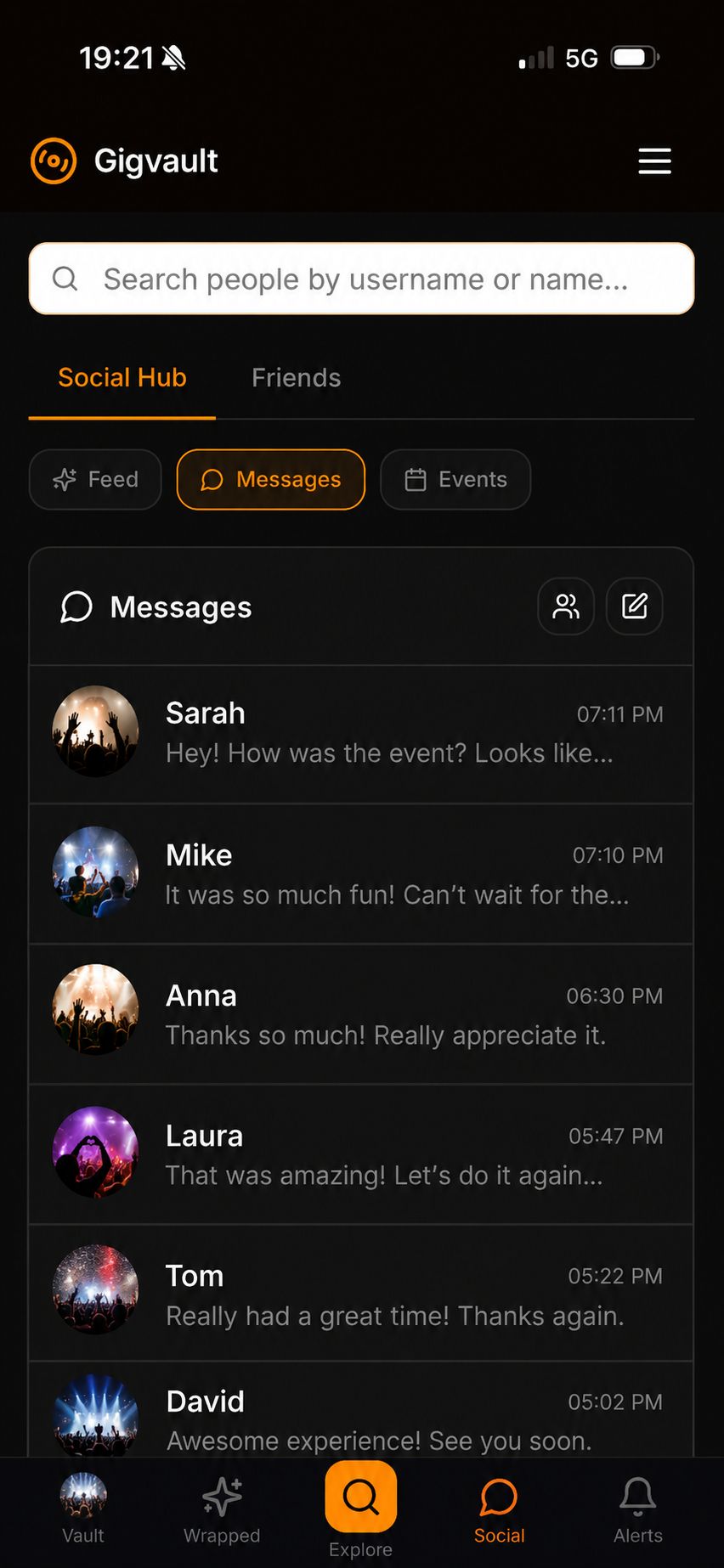
Ready to start your concert diary? Sign up for your free Gigvault account — log unlimited shows, get Concert Wrapped after every gig, and never forget a concert again. No credit card required. Free forever.
Keep reading
- How to Remember Every Concert You've Ever Attended
- Rock in Rio App 2026 — Track Every Band at Brazil's Biggest Festival
- The Best Apps That Track Live Show Setlists (2026)
- How to Remember Every Concert You've Ever Been To
- Top 7 MyGigsPlace Alternatives 2026
- Concert Achievements: 30+ Live Music Milestones Worth Tracking
- Sharing Concert Memories: How to Post Your Live Music Recaps in 2026
About the author
Alexandra P. built Gigvault solo after years of going to concerts and never finding an app that actually captured what happens at shows. No investors, no ads, no data sold. Read the founder story →